
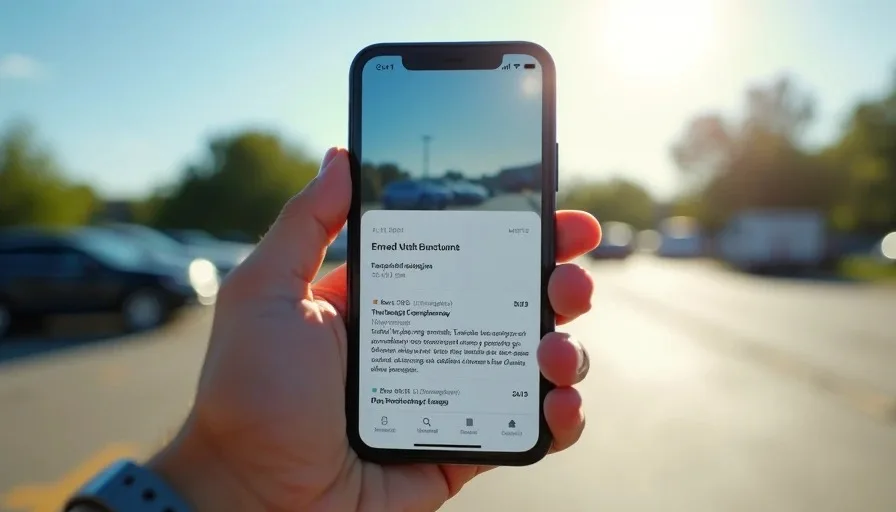
When a friend asks me "is this phone worth it," they almost always hand me a spec sheet first. And every time, I tell them the same thing: resolution is the last screen trait you should worry about. After ten-plus years in consumer-goods channel marketing in St. Louis, sitting through hundreds of product trainings and staring at demo units under warehouse lighting, I learned that cheap screens give themselves away long before pixel count matters. If you're trying to answer "is this phone worth it" — or hunting for the best tablet for casual use — the real tells are brightness, contrast, color calibration, and touch latency. Here is my practical field guide to spotting a weak panel in ninety seconds, before you spend a dime.
The Cheap-Screen Tells I Check First
The verdict up front: a budget screen fails on brightness headroom, black levels, and off-axis color shift far more often than on sharpness. Most panels today are 1080p-or-better, and at normal viewing distance your eyes genuinely cannot resolve the difference between 1080p and 1440p on a 6.5-inch phone. So stop grading resolution and start grading these failure points.
Brightness Headroom and Contrast
Peak nits is the spec manufacturers love to bury. A screen rated at 400 nits looks fine in a store and becomes a mirror in the parking lot. I test every review unit outside on a sunny afternoon — if I have to cup my hand around the screen to read email, the panel is disqualified for my daily carry, no matter how sharp it renders at night.
Here is the quick check I run before anything else:
Take the device outside between 11 a.m. and 2 p.m.
Open a plain white webpage and a dark webpage.
Tilt the screen 30 degrees left and right.
Look for washed-out blacks or a greenish/pinkish tint at angles.
Scroll a text-heavy page and watch for smearing on dark backgrounds.
If it survives all five, the panel is at least honest. That honesty matters more than any resolution claim when I'm judging whether a phone is worth it.
The Spec Gaps Retailers Count On You Missing
Spec on the box | What it actually means | What cheap screens do |
|---|---|---|
"HD+ display" | Often 720p-class, fine on small phones | Marketing-dressed baseline |
500-nit peak | Measured at a small window, not full screen | Full-screen brightness is 30-40% lower |
"Vivid color mode" | Oversaturated default profile | Hides inaccurate calibration |
90Hz refresh | Great — if brightness doesn't drop to sustain it | Some budget panels throttle Hz under load |
Oleophobic coating | Reduces fingerprints | Frequently skipped entirely under $200 |

Real-World Failures I've Watched Happen
Conclusion first: the failures that frustrate real owners are almost never resolution complaints. In my channel-marketing days, I read the actual return comments. People wrote about screens they couldn't see at a ballgame, yellows that looked green, and touches that registered two taps behind. My daughter Tess's first budget tablet — bought on a Black Friday doorbuster — displayed skin tones like everyone had a mild fever. That's the kind of flaw you notice every single day, unlike a missing 60 pixels per inch.
The Calibrated-Eye Test at Home
You don't need lab gear. Compare any candidate device side-by-side with a screen you already trust — in my house that's a mid-tier iPad that has survived two kids and a dog. Same photo, same brightness slider position, same room. Differences in color temperature and contrast become obvious within a minute. When I ran this test while shopping for the best tablet for casual use candidate for Nolan, three of four "spec-identical" budget tablets failed instantly on color alone.
Watch for these everyday symptoms:
White backgrounds that glow blue or yellow at low brightness
Text edges that shimmer rainbow colors (chromatic aberration from a low-grade laminate)
Auto-brightness that jumps in visible steps instead of ramping smoothly
Ghosting when scrolling dark-mode menus
Any one of these is a daily annoyance no resolution number can buy back. At this price, the compromise is the story — and the screen is where the compromise always hides.

Buying Rules I Give Friends and Family
After years of these conversations, I've boiled my advice into a short rulebook. It works whether you're evaluating a $150 phone or deciding between tablets for a kid's homework station.
Ignore resolution entirely on screens under 8 inches. Pixel density is a solved problem at that size.
Find the full-screen brightness figure, not peak-window brightness. Reviews that measure it honestly are worth their weight in gold.
Handle the device outside the store. Most retailers have a return window; use the first day of it for an outdoor test.
Prefer a well-calibrated 720p panel over a miscalibrated 1440p one. Accuracy beats sharpness every time.
Check PWM flicker if you're sensitive. Some budget screens use aggressive dimming that causes eye strain within an hour of reading.
Budget for the panel, not the chip. A midrange processor is fine for casual use; a bad screen is forever.
The next time someone hands you a spec sheet and asks "is this phone worth it," flip past the resolution line and hunt for brightness, calibration, and coating details instead. Worth it? Let's run the numbers — and the numbers that matter are the ones printed in the smallest font.