

After ten-plus years in consumer-goods channel marketing, I can tell you the fastest way to figure out how to tell if a gadget is overpriced: stop asking what it has, and start asking what was removed to hit a price point. Last spring my son Nolan wanted a mid-range tablet for schoolwork. The box looked familiar, the model number was one digit off from the premium line, and the price was $80 lower. That single digit was the whole story. The manufacturer had pulled the laminated display, halved the RAM, and swapped in a slower charging brick — then let the retail shelf do the talking. Nothing on the packaging mentioned any of it.
The "Deleted Feature" Trick Most Buyers Miss
Here's my conclusion up front: when a gadget looks like a bargain, the discount usually lives in a feature you can't see on the box. Price-tier engineering is standard practice. I sat in meetings where a product's spec sheet was trimmed line by line until the unit cost landed at a target margin. The marketing copy never says "we removed X." It says "new value model."
Three Deletions I Used to Help Schedule
During my channel-marketing years, these were the most common silent cuts:
Charging speed quietly dropped (25W instead of 65W in the same chassis)
Storage tier rebranded so a "128GB" model used slower memory
Build materials swapped — aluminum became plastic with a metallic finish
Software support window shortened on the cheaper tier only
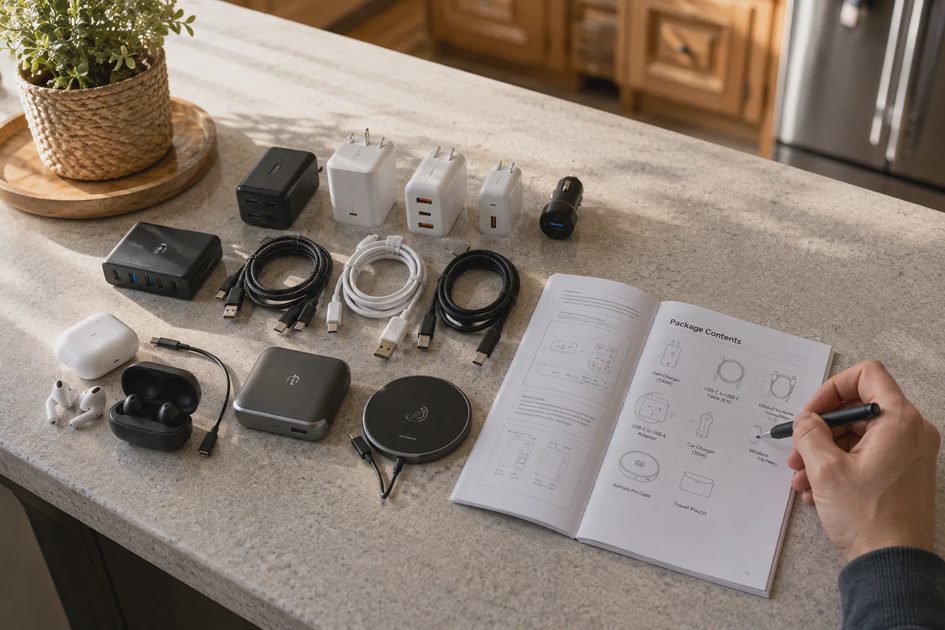
Accessory in-box items removed (brick, cable, earbuds) while the manual kept the old photos
The pattern is always the same: the visible specs stay identical on the shelf tag, and the invisible ones carry the savings.
A Quick Forensic Table
What the box says | What to check before buying | What it means for you |
|---|---|---|
"Same great display" | Is it laminated or air-gapped? | Cheaper panel, worse touch feel |
"All-day battery" | Battery capacity in mAh, not hours | Smaller cell, shorter real-world life |
"Fast charging" | Wattage number, not the word "fast" | 15W charger in a 45W-capable phone |
"Flagship camera" | Sensor size and OIS presence | Older sensor, no stabilization |
"Wi-Fi 6" | 6 vs 6E vs antenna count | Slower real throughput at home |
Launch Price vs. Sale Price: The Numbers Actually Matter
Conclusion first: the sticker at launch is a marketing number, not a market number. Anyone comparing phone launch price vs. sale price over a full product cycle learns this fast. I tracked three flagship phone lines for two years as part of a channel-promotion program I ran. The pattern held every single time: meaningful discounts arrived on a predictable schedule, and buying at launch meant paying a premium for two months of earlier ownership.
The Discount Rhythm I Measured
Time after launch | Typical street price drop | What usually triggers it |
|---|---|---|
0–60 days | 0–5% | Launch hype window |
60–120 days | 10–15% | First competitor launch |
4–6 months | 20–25% | Mid-cycle promo events |
6–9 months | 25–35% | Next model rumors confirmed |
10–12 months | 30–45% | Successor announced |
My rule of thumb for my own family's purchases: if Erin and I can wait ninety days, we save roughly the cost of a decent case, a charger, and a screen protector combined. That's not coupon-clipping. That's just refusing to pay the impatience tax.
Watch the "Was/Now" Price Anchoring
Retailers I worked with had a phrase for the inflated reference price on the shelf tag: the anchor. The anchor gets set high early, so every later "sale" looks dramatic. Before you trust a discount percentage:
Check the price history on a tracker tool, not the tag
Compare the sale price against the launch-day price, not the anchor
Look at what the bundle includes — a "free" pair of earbuds often means the margin still favors the retailer
Ask whether the model on sale is about to be superseded, because accessory and software support thin out fast after a successor ships

How I Run the Numbers Before My Family Buys
When Nolan's tablet or Tess's headphones come up for "upgrade," I use one worksheet. It takes fifteen minutes and it has saved us more than any loyalty program ever did:
Price-per-year math: divide the price by the realistic lifespan (3 years for a tablet, 2 for budget earbuds, 4 for a decent TV)
Feature audit: list what the cheaper tier deleted versus the tier above
Support window: confirm the software update commitment in writing, not in a keynote
Replacement-part check: if a battery or strap is already scarce, the "deal" is a future expense
Benchmarks over brand copy: real throughput tests, not the box's adjectives
At this price, the compromise is the story. A gadget isn't overpriced because it's expensive — it's overpriced when the invisible deletions mean you'll rebuy the capability later. That mid-range tablet? I passed on it. We waited eleven weeks, spent $30 more than the "sale" price, and got the laminated panel, double the RAM, and a confirmed four-year update window. My worksheet said the cheaper one would cost us more per useful year.
The shelf is a negotiation. The manufacturer sets the opening offer. The label never volunteers what was cut — but the spec sheet, the price history, and the update policy will tell you everything. That's how I judge every gadget that lands on our kitchen counter, and it's how you should too.