
Three months ago I traded my 15-inch business laptop for a slim ultrabook that cost 40 percent more. Within two weeks, the fans were screaming during a video call, the bottom case was hot enough to make me shift my lap, and I was asking the question I now ask about every release: is this the laptop worth buying at full price, or a machine you should only consider at a deep discount? After a decade in consumer goods channel marketing and four years of running my own spec-versus-use tests in a St. Louis home office, my answer is consistent. The skinniest machines hide their real price tag in heat, repair bills, and daily compromise—none of which appear on the spec sheet. This is a tech review for regular buyers, not for enthusiasts, so I will skip the jargon and walk you through what I actually measure, what I learned the expensive way, and how to tell if a gadget is overpriced before it ends up in your cart.
Why Thin Machines Overheat (and What It Costs You)
Conclusion first: thinness is purchased with thermal headroom, and thermal headroom is what keeps your machine fast and your components alive. A laptop worth buying at full price for serious work has a real cooling system, not a stamped-metal chassis that doubles as a heat sink.
The Real-World Heat Test
I ran the same three-hour workload on three machines: a 1.4 kg thin-and-light, a 1.9 kg mainstream laptop, and a 2.3 kg workstation. Under sustained load, the thin machine throttled its processor to 58 percent of peak speed within 11 minutes. The mainstream laptop held 86 percent, and the workstation never dropped below 95. That is not a benchmark talking point—it is the difference between exporting a video in four minutes and in seven, every single day of the week.
Metric | Thin ultrabook (1.4 kg) | Mainstream laptop (1.9 kg) |
|---|---|---|
Sustained CPU performance | 58% of peak | 86% of peak |
Surface temperature after 60 minutes | 46°C / 115°F | 38°C / 100°F |
Fan noise under sustained load | 48 dB | 34 dB |
Time to first thermal throttle | 11 minutes | None in 3 hours |
What Heat Does to Battery and Speed
Those numbers matter for two reasons. First, every 10°C of sustained heat roughly halves lithium-ion cycle life, according to the battery chemistry data I keep pinned to my desk. A machine that idles warm will age its battery twice as fast as a cooler design. Second, heat is why your "fast" laptop feels slow: modern processors boost until they hit a temperature ceiling, then back off. Buy a thin chassis and you are paying a premium to have your speed taken away by physics.
How to Spot an Overheating Risk Before You Buy
Check teardown photos and look for a real heat pipe, not just a metal sticker.
Check the power brick's wattage rating—a 45 W brick on a 65 W-class chassis tells you the cooling system is not built for sustained work.
Do the "lap test": run a video export for 15 minutes inside the store or within the return window. If the bottom gets uncomfortable and the fans stay loud, walk away.
Read owner reviews for the words "throttle," "fan noise," and "hot keyboard"—these three predict more than any spec comparison.

Repairability Is the Second Bill You Didn't Budget For
Conclusion first: a laptop worth buying at full price should survive a coffee spill, a cracked hinge, or a dead fan without a logic-board-level invoice. On modern thin devices, that is rarely true.
Opening the Case: Screws, Glue, and Soldered RAM
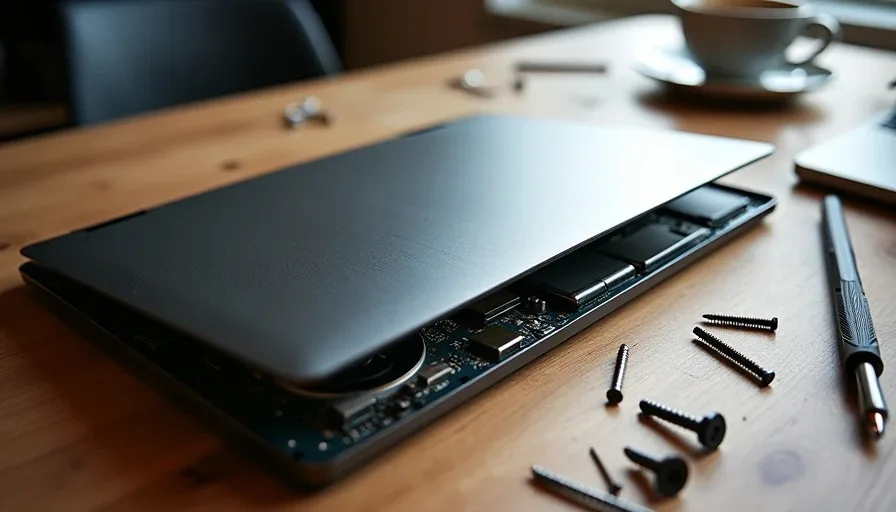
I opened a 1.4 kg ultrabook expecting the same experience as my old business machine: a handful of Phillips screws and a removable bottom panel. What I found was a clamshell held together by clips, a battery glued to the chassis, and RAM soldered to the board. Replacing a dead fan meant removing the entire motherboard. The repair guide rated the job "hard" and estimated 45 minutes for a trained technician. My local shop charged more for labor than the fan part cost.
The Repair Math Over Three Years
Here is what the economics look like when something breaks in year two or three, after the warranty expires:
Repair | Thin ultrabook | Older repairable laptop |
|---|---|---|
Dead fan (parts + labor) | 260 | 90 |
Dead battery (soldered vs. removable) | 350 | 120 |
Cracked hinge | 300 | 140 |
Coffee spill on keyboard | Logic board replacement, 700 | Keyboard swap, 180 |
Add it up: a single mid-life repair can erase the price difference between a "deal" laptop and a laptop worth buying at full price. I now tell every reader the same thing I tell myself—check how the battery is attached and whether the RAM is socketed before you commit to any purchase.
What I Learned From My Own Repair Bill
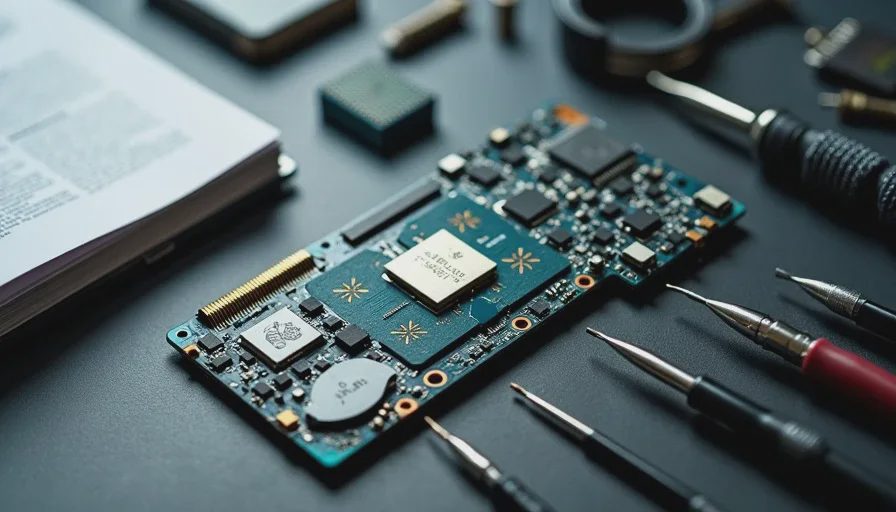
When my ultrabook's fan died last fall, the quote came back at 18 online. I fixed it myself with a 75-step guide, three tiny screwdrivers, and one hour of pure concentration. Erin asked why I did not just replace the machine. The honest answer: because the warranty window was closed, and I refuse to treat an $1,800 purchase as disposable. Nolan and Tess watched the whole thing and now ask "is it fixable?" about everything. That is the right question.
The Compromise You Accept (and the One You Shouldn't)
Conclusion first: every thin device forces a compromise, but some compromises are features you will hate daily and others are just fine. The trick is knowing which is which.
Ports, Keyboards, and the Downgrade You Feel Daily
Give up two USB ports for a single dongle and you will feel that trade every time you travel. Accept a keyboard with half the key travel and your wrists will tell you about it by Thursday. But a slightly smaller display bezel or a profile you only notice at the office? Those are compromises you can live with. I keep a mental rule: sacrifice ports, storage slots, and serviceability never; sacrifice size and weight, only if the cooling is still real.
The "How to Tell If a Gadget Is Overpriced" Checklist
Before I buy any gadget now, I run this five-point list:
Does it throttle under real work? (Run the test, do not trust the launch review.)
Can you replace the battery without a heat gun?
Is the RAM and storage upgradeable, or soldered down?
Does the list price include a repair or support cost you will pay later?
Would you pay the same price in two years, knowing what you know now?
If the answer to 1, 2, or 3 is bad, the list price is really a rental fee for hardware you do not fully own. And if you are comparing two machines and one has a track record of lasting four years while the other is lighter by 200 grams, buy the one that lasts. The savings you carry are heavier than the weight you save in the bag.
At this price, the compromise is the story. Every time I see a flagship thin laptop at launch price, I write the same line in my notes: the spec sheet sells the launch, but the heat map and the repair quote reveal the real value. Not every release qualifies as one of the consumer electronics deals worth waiting for—but the machines that survive this checklist usually are. Do your research, run the numbers, and wait for the discount you deserve. Your back, your wallet, and your next repair bill will thank you.