

I've spent eleven years in consumer packaged goods channel marketing, which means I've sat through more pricing strategy decks than I can count. The playbook is always the same: build a hero product with specs most buyers will never touch, attach a premium price, and let the halo do the selling. That experience is exactly why this gadget buying guide for families starts with an uncomfortable truth: if your phone routine is streaming, texting, and travel, a $1,199 flagship is mostly a tax on your imagination. In my house — that's me, my wife Erin, our son Nolan (11), and our daughter Tess (8) — we've run this experiment for three upgrade cycles, and the numbers keep landing on the same side. Worth it? Let's run the numbers.
The $700 Gap Nobody Talks About
The conclusion first: for streaming, texting, and travel use, a well-chosen midrange phone delivers roughly 95% of the everyday experience for 40–60% less money. That difference, invested or even just saved, funds the family trip the flagship ads keep promising you'll document on a flagship camera.
What You Actually Use Versus What You Pay For
Last spring I logged two weeks of screen-time data across all four of our phones. Here's what a typical family of four actually does:
Activity | Share of Screen Time | Flagship Advantage |
|---|---|---|
Streaming video and music | 41% | Negligible on midrange |
Messaging and calls | 33% | None |
Photos and casual video | 15% | Real but modest |
Maps and travel apps | 7% | None |
Gaming (Nolan's phone) | 4% | Noticeable for heavy 3D titles |
The pattern is hard to miss. Nearly three-quarters of our usage touches nothing a flagship improves. The camera gap is real — I'll grant that — but midrange sensors in the 450 range now handle school concerts, vacation sunsets, and birthday candles without the mushy noise that plagued budget phones five years ago.
Where the Money Actually Goes
When I unpack the bill of materials logic from my channel marketing days, a flagship premium buys you three things: a processor headroom you'll only feel in year four, a telephoto lens most parents never mount, and a titanium frame whose main job is surviving the marketing department's drop-test video. Paying for capability you don't exercise isn't future-proofing. It's paying rent on features.
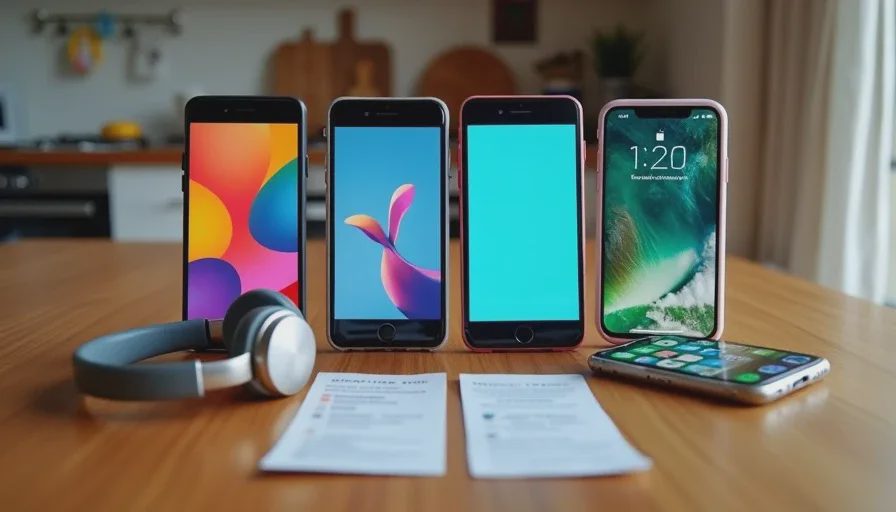
How I Shop Midrange Without Getting Burned
The conclusion here is also simple: the strongest pick in the midrange market is whatever launched six to nine months ago at $399 or above, bought unlocked, with three OS updates promised in writing. The best budget smartphone for everyday use is rarely the newest one — it's the slightly older proven one at a haircut price.
My Five-Point Checklist
Update commitment in writing. Three years of OS updates is my floor for a family phone. Anything less and you're buying a disposable.
Unlocked, not carrier-locked. Carrier "free" phones are installment plans with a leash. Unlocked phones travel better and resell cleaner.
Battery over horsepower. A 5,000 mAh cell on a modest chip beats a hungry flagship chip at 20% battery every single time you're navigating a new city.
Storage at 128 GB minimum. Kids' photos, offline Netflix downloads for flights, and school apps eat 64 GB fast.
Skip the "Lite" flagship variants. They carry the flagship's name at midrange internals — you pay for the logo twice.
The Travel Test That Settled It
Two summers ago Erin and I did a direct comparison on a road trip to Colorado. She carried her then-new flagship; I carried a $349 midrange unit. Same national park photos, same offline playlists, same navigation. After ten days, the family voted on which photos came from which phone — and we collectively got it wrong more than half the time. Her battery was at 15% by dinner most nights. Mine wasn't. That trip is when I stopped recommending flagships to anyone whose usage profile looks like ours.

What a Smartwatch Adds (and Doesn't)
The same logic applies one screen further up your wrist. The best smartwatch for normal users is not the cellular flagship model — it's the GPS-only version of a proven midrange line. Nolan swims and Tess rides bikes, and notifications-on-the-wrist during practice is the whole job description. Cellular add-ons cost roughly $10 a month forever and duplicate the phone already in your pocket. Ask a parent "is this phone worth it" and then ask them the same question about the watch's monthly fee — the second answer is always faster.